PST 2 PDF Converter to export Outlook emails to PDF
- Smartly export Outlook PST files to Adobe PDF format
- Quickly export Outlook emails and attachments into PDF
- No third-party application to export MS Outlook PST files to PDF
- Export PST in PDF format with accurate email headers
- Support every size Outlook PST file conversion without any hurdles
- Free from viruses and well tested by professionals before introducing among users
- Display complete PST file prior finalizing the migration
- Perpetuate folder structures meanwhile and after the migration
- Store data at desired location as per user requirements
- Measure software proficiency with free PST to PDF Conversion Tool
- Offer facility to choose desired folders and mailbox items
- Supportive to read the converted PDF file on all editions of Adobe Reader & Acrobat
- Compatible to latest Outlook and Windows versions
Features of MS Outlook to PDF Converter Application
Find features to export MS Outlook files to PDF
Export emails & attachments
PST to PDF Converter is designed to export all emails of Outlook PST file. With emails, a separate folder for attachments is created by the application. In this way, users can access Outlook database in Adobe applications. You can simply read Outlook emails to all versions of Adobe like 11.0, 9.5, and below versions.
Support Latest Platforms
The program is compatible with the latest editions of MS Outlook & Windows. Outlook 2019, 2016, 2013, 2010, 2007, etc. PST files are supported by the utility. Users can simply launch the software on all Windows versions like Windows 10, Windows 11, macOS 12+, and Linux x64 without any trouble.
Consider password applied PST
If users have password-protected PST files whom they want to export from Outlook to PDF. The software effectively supports the files. Users can remove the password of PST files and can export them into PDF. Apart from it, archived PST files are also considered by the software. Both ANSI and UNICODE are well supported by the tool.
Keep Mail folders intact
PST 2 PDF Converter keeps the hierarchy and structure of mail folders like Inbox, Outbox, sent items, etc. and subfolders intact while exporting to PDF files. The software saves the PDF file in the same folder. Moreover, the email formatting remains intact even after the conversion along with email headers like to, cc, sent, from, etc.
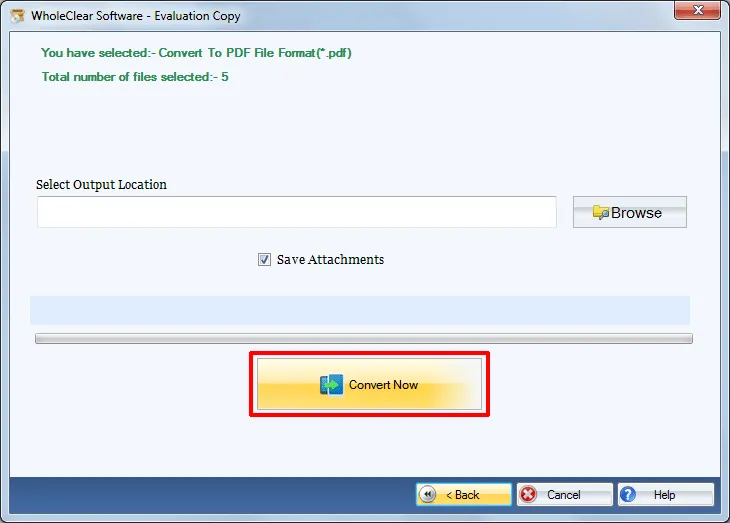
Save PDF in desired path
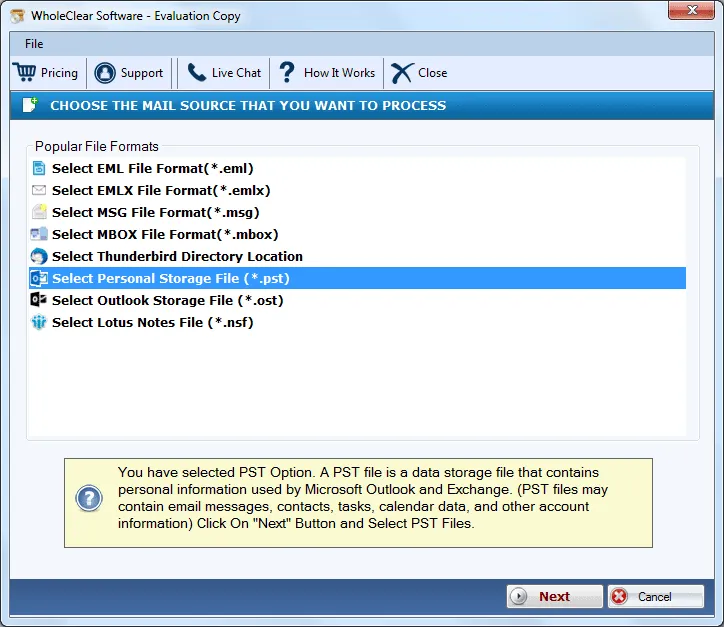
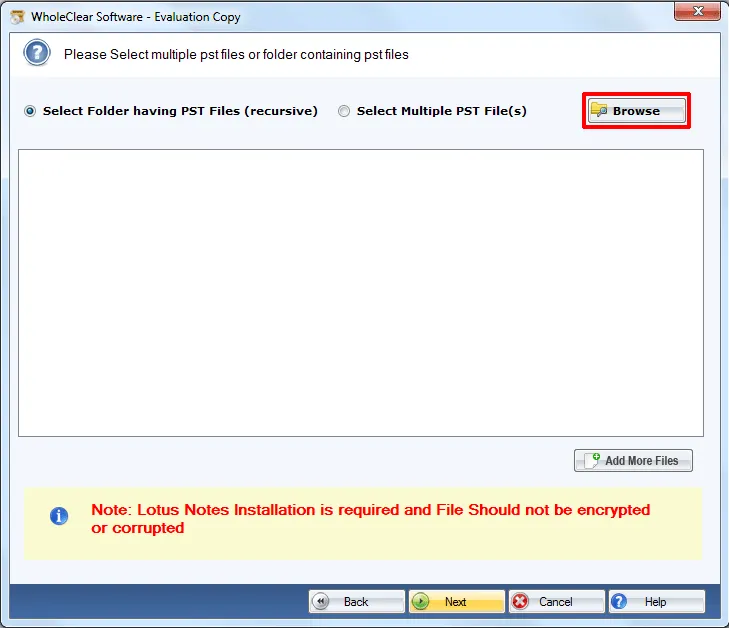
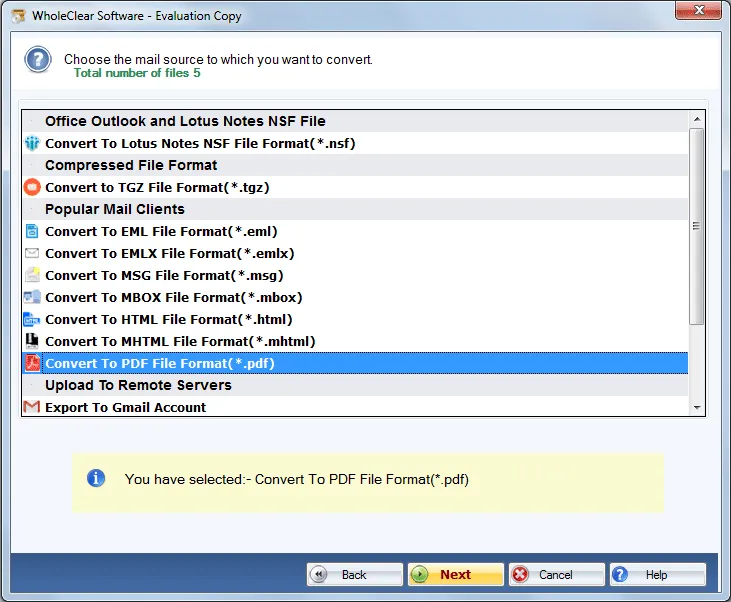
With Outlook to PDF Converter, one can save the resulting PDF files at any location within the PC. The application offers the option to users to select the destination path so to access PDF files becomes easy after conversion process. Users can take help of screenshots to understand the process and download the free version for more clarity.
Avail selected data conversion
The software provides a smart facility by which users can perform the migration of selected PST emails or selected folders of PST file. The utility provides the conversion in an efficient manner. Users can simply move the desired files and reduce the burden of unnecessary files by excluding them from the list of conversion.
Unlimited PST file conversion
PST 2 PDF Converter does not impose any limit on the size of PST file. Every large PST file is supported to export without any issues. Moreover, there is no limit specified on the number of PST files to export into Adobe PDF format. One can effortlessly export single PST file at a time and hence unlimited PST files with the application.
Preview emails with attributes
PST to PDF Converter initially scans the complete PST file and then drives a complete preview of mailbox items of PST file. Users can pick the folders from the left pane and view them completely with all attributes such as to, cc, bcc, subject, date & time, sender-receiver address, etc. After checking the details, users can move to the export process.